
Leaf Parcel
How To Buy
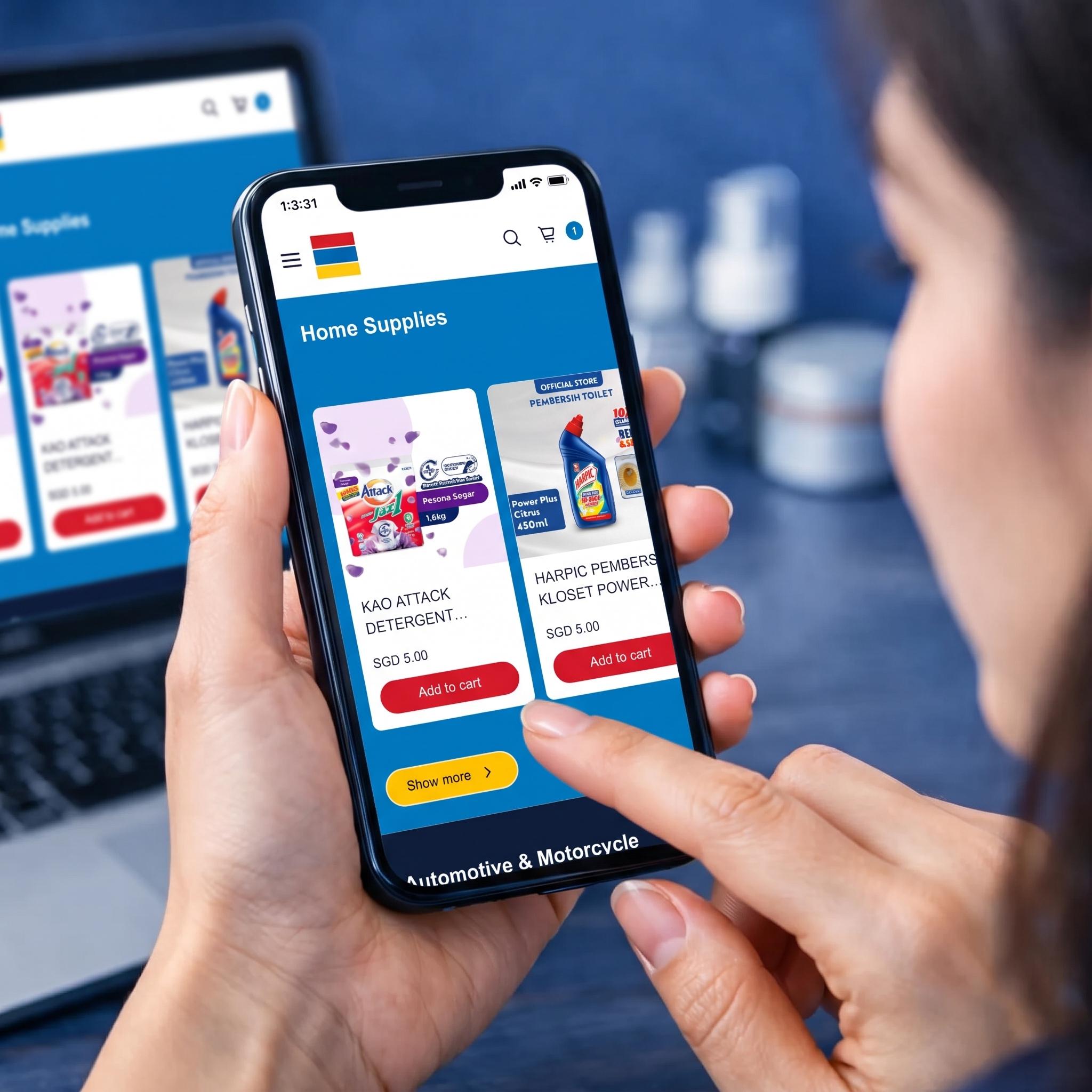
1. Select Products and Add to Cart Browse the store to find your desired items, such as those in the Home Supplies category. Once you have found the right product, click the red "Add to cart" button below it.
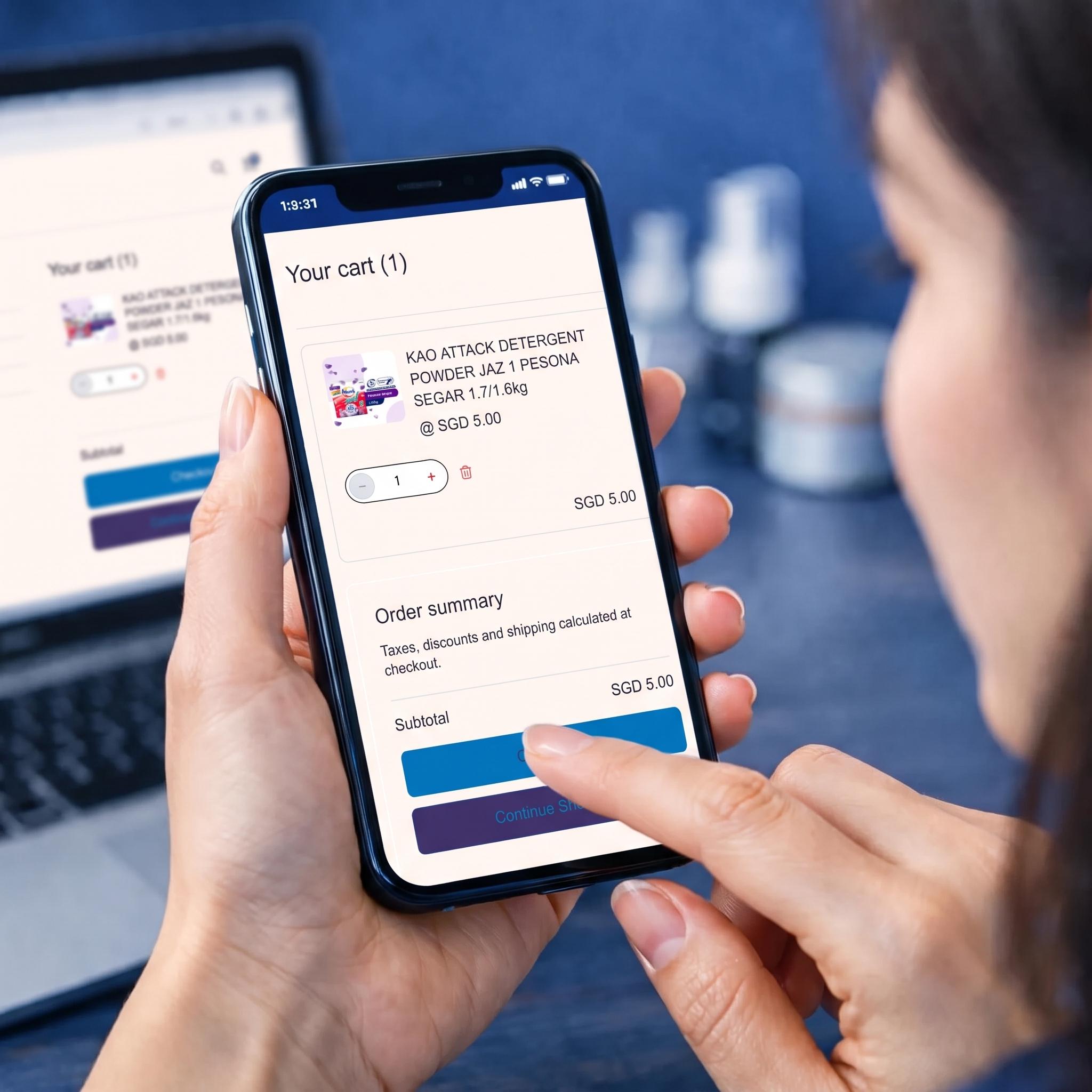
2. Review Your Cart and Checkout Open the "Your cart" page to double-check your order. You can adjust item quantities or remove products if needed. When you are ready, click the blue "Checkout" button at the bottom of the order summary.

3. Complete Payment via PayNow On the payment page, you will see your total bill. Complete the transaction using PayNow by scanning the QR code displayed on the screen. Finally, click the "Make Payment" button to confirm and finalize your order.